
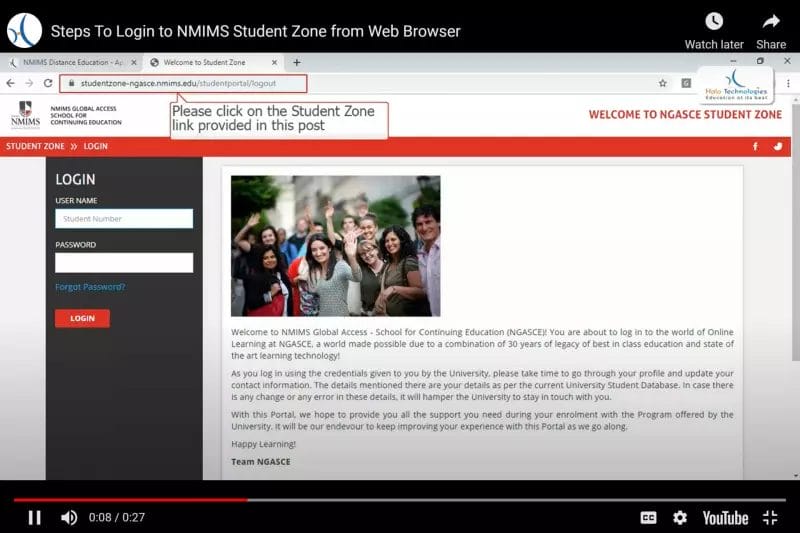
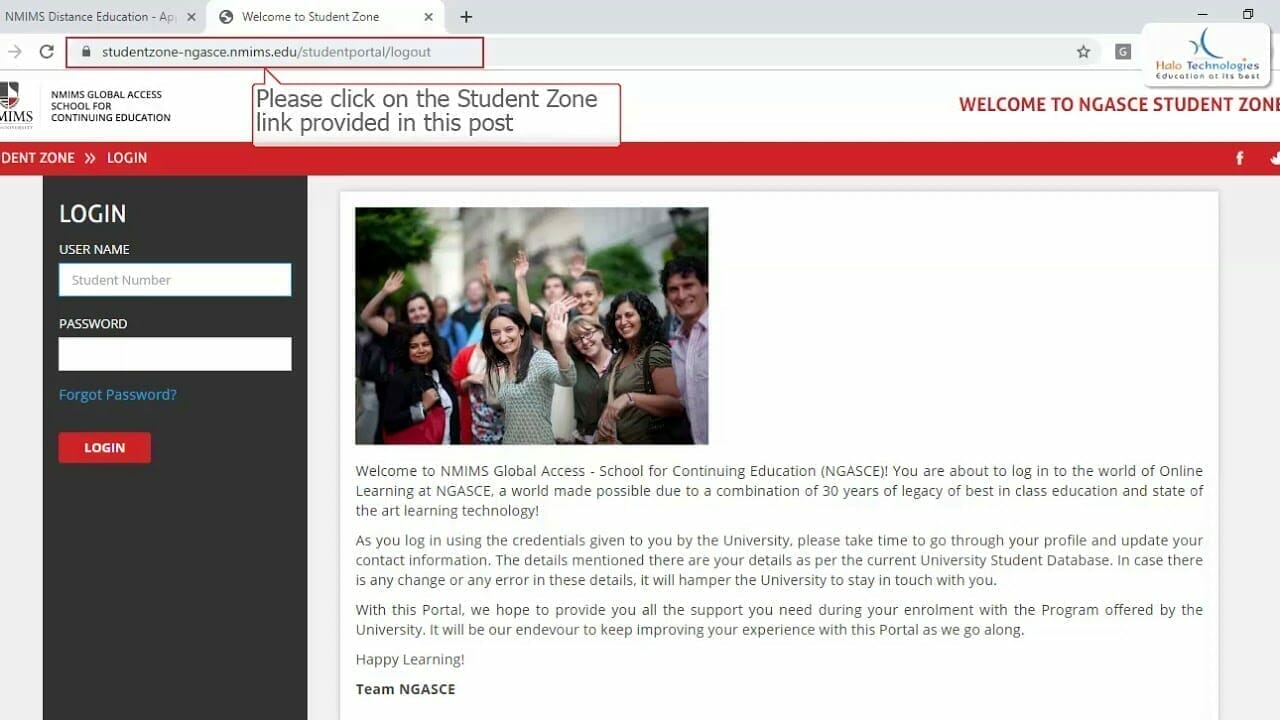
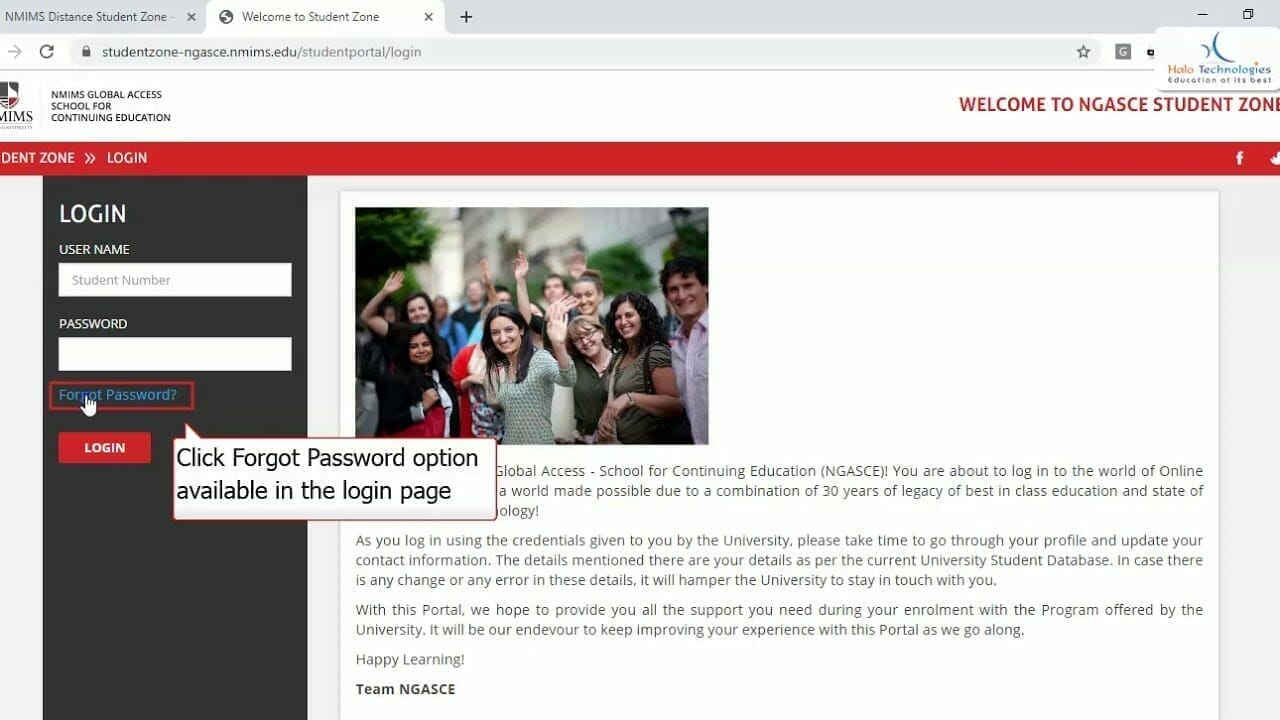
Step 1: Go to Student Portal Login from Google Chrome or Safari preferably
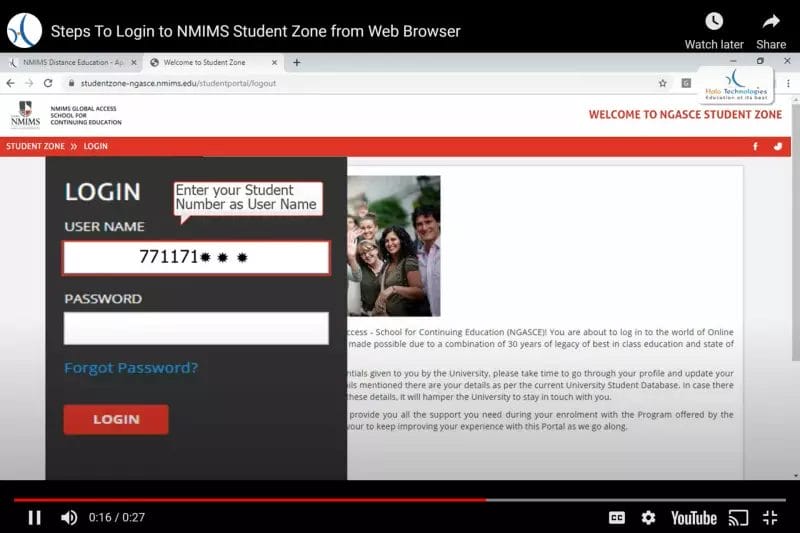
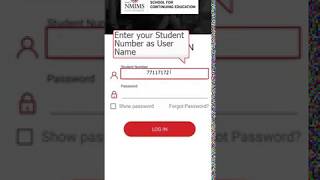
Step 2: Enter your Student Number a digital ID
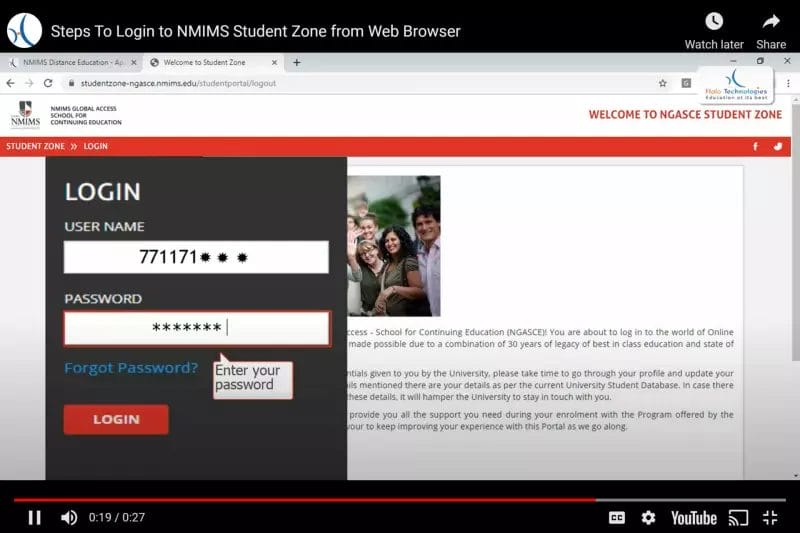
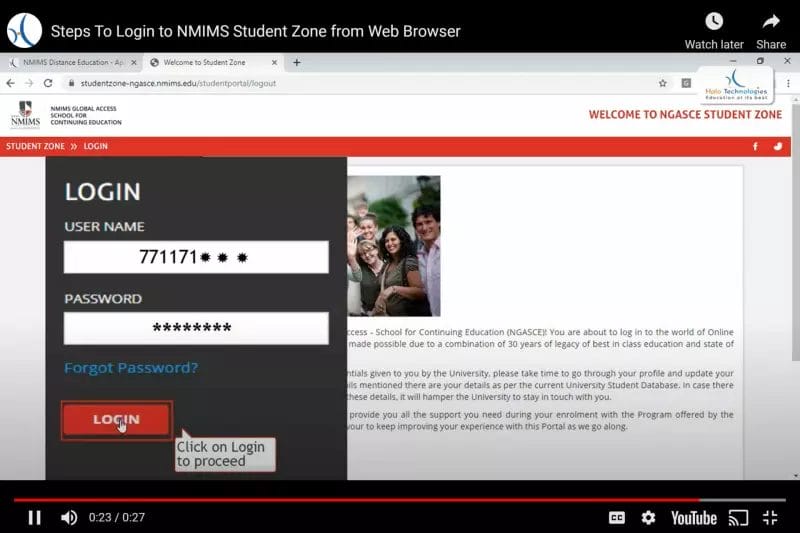
Step 4: Click on Login
NMIMS Centre for Distance and Online Education (CDOE) now offers a dedicated Admissions Mobile App, allowing students to complete the entire admission process directly from their phone.
Through the app, you can explore programs, submit your application, upload required documents, track admission status, and stay updated with important notifications from NMIMS CDOE.
The app is available on the Google Play Store and can be downloaded by searching for “NMIMS CDOE Admissions App” or using the link below.

Refer a Friend and earn Rewards. Call us at 8080500400 or click on the link below to refer your Friends and Colleagues.

The information on this website is compiled from emails and official communications from NMIMS Distance Learning and NMIMS CDOE Access School of Continuing Education. All details are subject to change without prior notice.
The latest rules, policies, and announcements published by NMIMS CDOE shall be considered final and binding.
We are not responsible for any loss or damage, including indirect or consequential damages, arising from the use of this website or reliance on the information or services mentioned here.